
Download Optimo – AI Marketing Suite for Efficient Campaigns
Overview of Optimo – AI‑Powered Marketing Suite
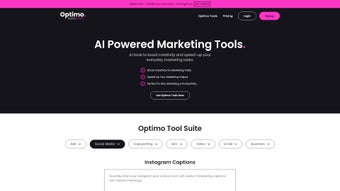
Optimo is a next‑generation AI marketing suite engineered by FATJOE, the well‑known SEO and marketing services platform. Built to accelerate creativity while automating repetitive tasks, Optimo brings a full‑stack set of tools that cover the entire content lifecycle—from keyword research and blog ideation to ad copy generation and social‑media scheduling. The core promise of Optimo is to let marketers focus on strategy and storytelling while the AI handles the heavy lifting of data‑driven copy creation.
By tapping into large language models and proprietary SEO intelligence, Optimo can generate Instagram captions, Facebook ad headlines, email subject lines, and even complete blog post briefs in seconds. This speed and breadth of output make it a compelling option for agencies juggling dozens of client campaigns, solo entrepreneurs looking to scale content production, or in‑house teams needing a reliable, secure, and constantly updated tool. The platform’s user‑friendly dashboard unifies all modules under a single login, providing a seamless experience that eliminates the need to juggle multiple subscriptions.
In short, Optimo positions itself as a “one‑stop shop” for digital marketers who demand speed, accuracy, and a measurable boost in ROI without sacrificing quality.
Key Features that Power Your Marketing
- AI‑Generated Keyword Clusters – Automatically group related keywords for comprehensive SEO strategies.
- Blog Post Title & Brief Generator – Produce click‑worthy titles and structured outlines in under a minute.
- Social Media Caption Engine – Create platform‑specific captions for Instagram, Facebook, LinkedIn, and Twitter.
- Ad Copy Creator – Draft high‑performing Google, Facebook, and LinkedIn ads with proven headline formulas.
- Email Marketing Assistant – Generate subject lines, preview text, and body copy that improve open rates.
- Content Repurposing Toolkit – Transform blog excerpts into carousel posts, newsletters, or video scripts.
- SEO Audit Integration – Pair generated content with real‑time SEO scores to ensure on‑page optimization.
- Batch Processing Mode – Queue up multiple requests and receive a downloadable CSV of all outputs.
- Collaboration Workspace – Share drafts with team members, leave comments, and approve content within the app.
- Secure Cloud Storage – All generated assets are saved encrypted on FATJOE’s servers for easy retrieval.
Beyond the list above, Optimo’s interface includes a live preview pane that shows how each piece of copy will appear on its intended platform. The system also offers built‑in plagiarism detection, ensuring that AI‑generated text is unique and safe for publication. For agencies, a white‑label option is available, allowing you to brand the dashboard with your own logo and colors.
The platform’s pricing model is tiered, with a free starter plan that includes a limited number of monthly generations, and premium tiers that unlock unlimited usage, priority support, and early access to new AI models. Regular updates are rolled out automatically, so users always benefit from the latest language model improvements without manual installation. All these capabilities combine to create a robust toolbox that saves time, reduces creative burnout, and boosts the overall quality of digital marketing assets.
Installation, Compatibility, and Real‑World Usage
Getting started with Optimo is intentionally straightforward. The software is delivered as a cloud‑based web application, meaning there is no traditional “install” process on your local machine. Simply visit optimo.fatjoe.com, create an account using your email address, and you’ll be taken directly to the dashboard. For teams that prefer a tighter security posture, Optimo supports Single Sign‑On (SSO) via SAML 2.0, allowing integration with Azure AD, Okta, or Google Workspace. Once logged in, the onboarding wizard guides you through setting up your first project, selecting your preferred language model, and connecting your social‑media accounts for direct publishing.
Because Optimo runs entirely in the browser, it is compatible with all modern operating systems—including Windows 10/11, macOS Ventura and later, Linux distributions, as well as mobile platforms such as Android 9+ and iOS 13+. The only requirement is a stable internet connection and a recent version of Chrome, Edge, Firefox, or Safari. For users who need offline access, a lightweight desktop wrapper built with Electron is available for Windows and macOS, offering the same functionality while caching recent generations locally.
Pros
- Rapid content generation reduces turnaround time by up to 70%.
- All‑in‑one suite eliminates the need for multiple niche tools.
- AI models are continuously updated, keeping output relevant and accurate.
- Secure cloud storage ensures data privacy and compliance.
- Collaboration features streamline team workflows.
Cons
- Reliance on internet connectivity may hinder use in low‑bandwidth environments.
- Advanced features are locked behind higher‑priced tiers.
- AI‑generated copy sometimes requires human polishing for brand voice consistency.
In everyday practice, marketers report that the batch processing mode is a game‑changer for large campaigns. By uploading a CSV of topics, Optimo returns a ready‑to‑publish set of headlines, meta descriptions, and social captions within minutes. The learning curve is minimal; the interface uses intuitive icons and tooltips that explain each function. For agencies, the ability to white‑label the platform adds an extra layer of professionalism when presenting deliverables to clients. Overall, Optimo balances power and simplicity, making it suitable for both seasoned SEO specialists and newcomers looking to automate their content workflow.
FAQ & Final Verdict
Is Optimo free to use?
Optimo offers a free starter plan that includes a limited number of content generations each month. For unlimited usage, advanced features, and priority support, you’ll need to upgrade to a paid tier.
Can I integrate Optimo with my existing CMS?
Yes. Optimo provides API endpoints and Zapier integrations that allow you to push generated content directly into WordPress, HubSpot, Contentful, and many other CMS platforms.
How does Optimo ensure the content is SEO‑friendly?
The AI model is trained on top‑ranking pages and includes built‑in SEO rules. It suggests keyword placements, meta tags, and internal linking structures that align with current search engine best practices.
Is my data safe on Optimo’s cloud servers?
All data is encrypted at rest and in transit using AES‑256 and TLS 1.3. Optimo complies with GDPR and CCPA, and you can opt for SSO for added enterprise‑level security.
Do I need any technical knowledge to use Optimo?
No. The platform is designed for marketers of all skill levels. The onboarding wizard, contextual help, and ready‑made templates guide you through each step without requiring coding or AI expertise.
Conclusion – Why You Should Download Optimo Today
Optimo stands out as a comprehensive AI marketing suite that delivers measurable time savings, higher content quality, and a streamlined workflow for any digital marketing team. Its cloud‑first architecture guarantees cross‑platform compatibility, while robust security measures keep your data protected. Whether you’re a solo freelancer looking to produce more content in less time, or an agency managing multiple client campaigns, Optimo provides the tools you need to stay ahead of the competition.
The free tier lets you test the core capabilities without risk, and the scalable pricing ensures you can grow the solution alongside your business. Ready to boost your marketing efficiency? Download Optimo now and experience AI‑driven creativity for free.
Optimo delivers a powerful blend of AI‑generated content, SEO intelligence, and collaboration features. While the premium plans are priced higher than some niche tools, the all‑in‑one approach and time savings justify the investment for most marketers.



.png)



